
🏢 Employing entities on people and agreements
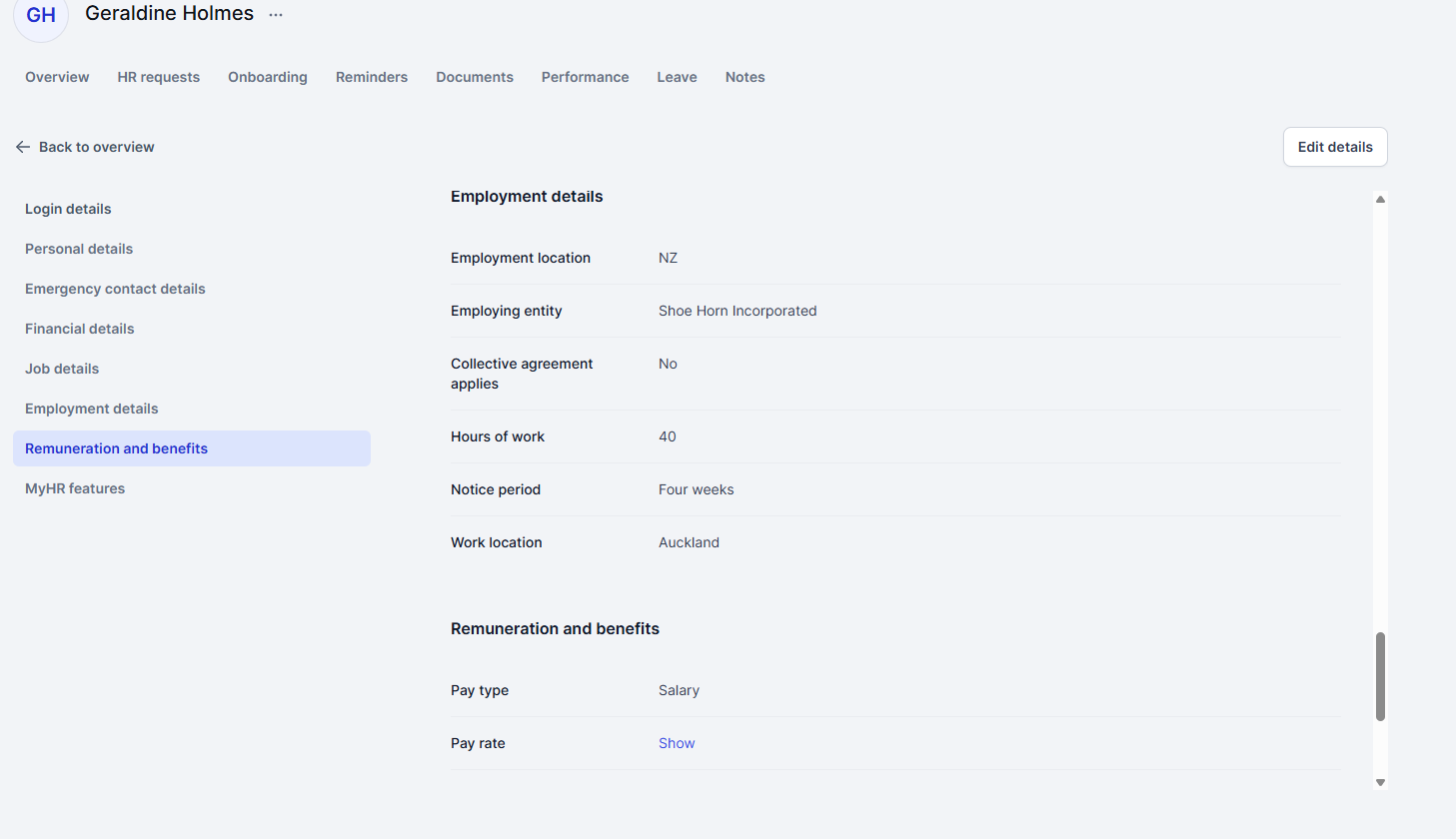
Run more than one business, a franchise, or a holding company with subsidiaries? MyHR now tracks which employing entity each person works for. Choose the entity when you add someone, and their agreement is generated with that entity's details and templates.
What this means for you
- Agreements show the right company details for each person
- Employing entity shows on each person's profile and in your people reports
- Changes to someone's employing entity are tracked in reporting
- View the employing entity on the person's view/edit details page or their overview page
What you need to do
Nothing for most customers. We've assigned every existing employee to an entity based on their last agreement. If someone's in the wrong one, edit the person's employment details via view/edit page or request an update agreement to change it. 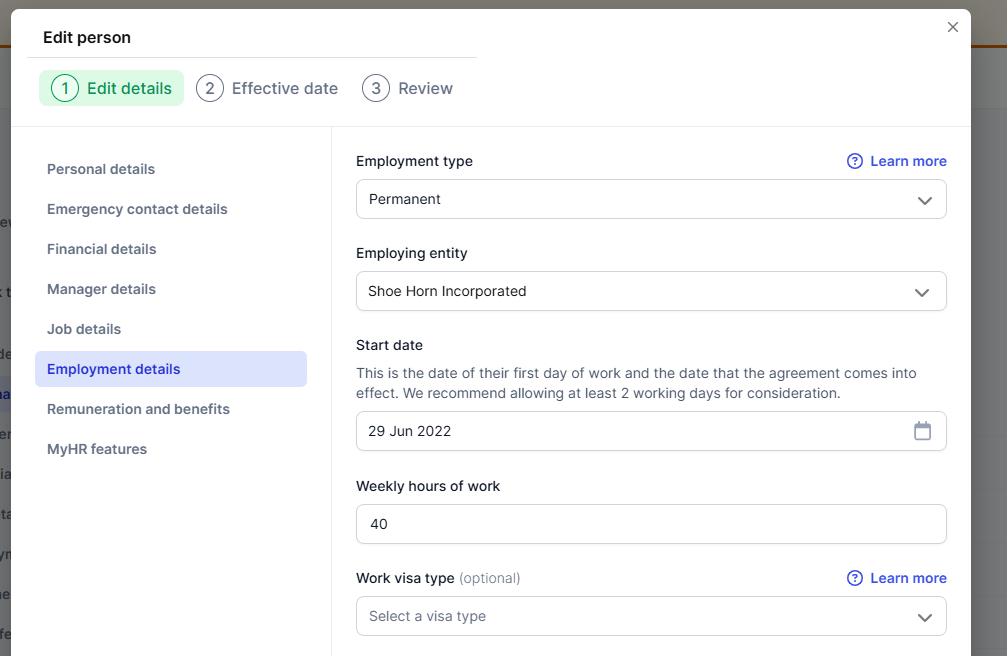
🤝 Collective agreements built into agreements (NZ)
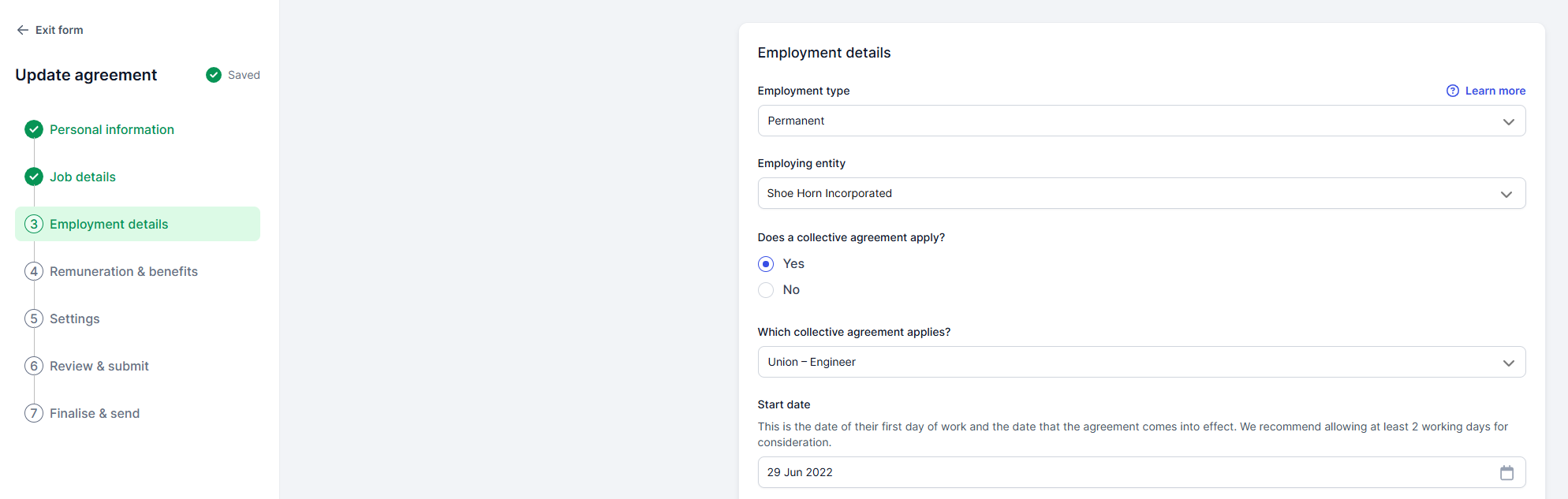
If your business has collective agreements in place, MyHR now asks whether a person is covered when you add them or request an update agreement. Pick the collective that applies and we'll show the union name and roles it covers so you choose the right one. Cover letters for collective agreements are now generated automatically too.
Requests where a collective agreement applies are routed to our HR team for review, so a real expert checks the detail.
What this means for you
- A clear record of who's covered by which collective
- The right cover letter, without you having to think about it
- Expert eyes on the trickier requests
What you need to do
If you don't have collective agreements, nothing changes and you won't see the question. If you do and they're not set up in MyHR yet, get in touch with our team.
See below for more information:
✅ Approval steps before agreements are signed
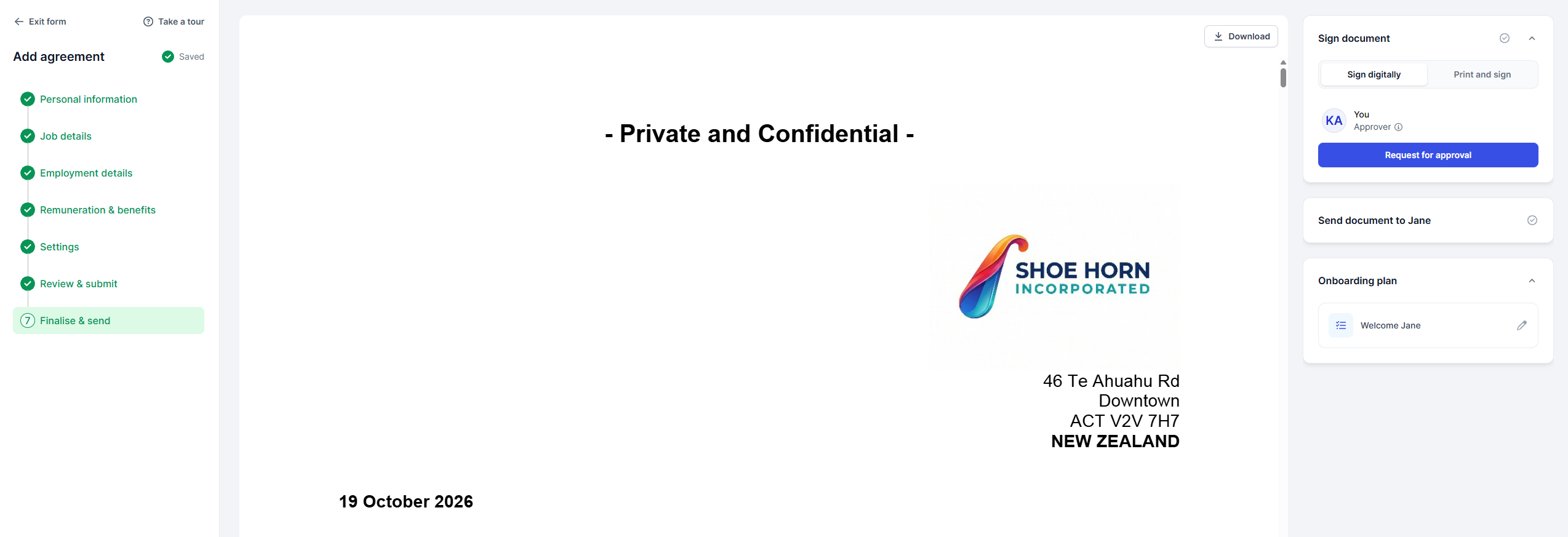
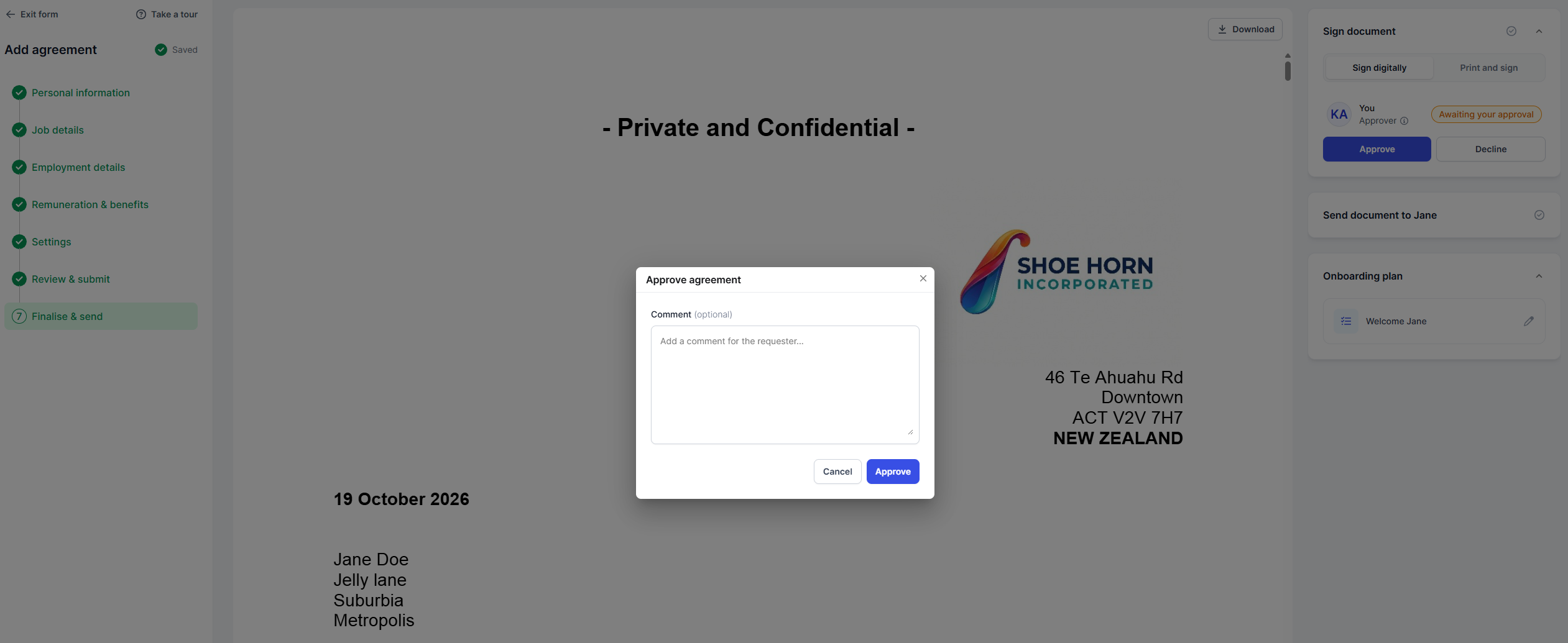
Want a second pair of eyes before an agreement goes out? You can now add approval and notification steps to employment agreement requests. Choose who needs to approve, when the step kicks in, and who just needs a heads-up.
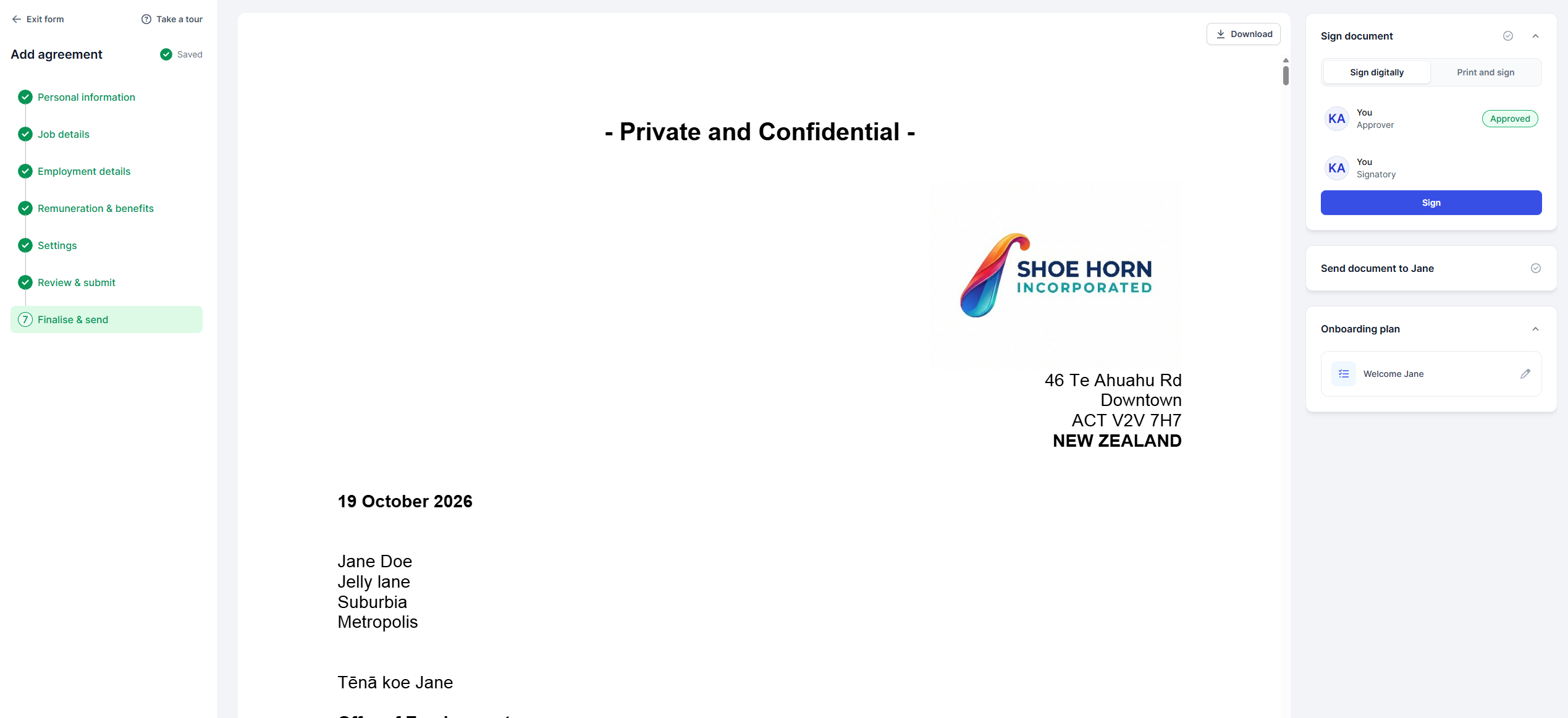
Approvers see the agreement with Approve and Decline buttons and can leave a comment. The person who made the request gets an email either way. If it's declined, they can make changes and resubmit.
What this means for you
- The right people sign off before anything is signed
- No more chasing approvals over email
- A clear record of who approved what, and when
What you need to do
Workflows are set up for you by our team. Get in touch and tell us who needs to approve or be notified, and when.
If you have one active, you will see this on the finalise and send step of an agreement step. Note, this is only available for our members with our premium Smart suite enabled.
See below for more information:
📁 Full control over your document folders
Last month you got folder renaming and search. Now owners and managers with the "Add or manage people" permission can also add new folders, move files between folders, and delete folders. Deleted folders go to an Archived tab, so nothing's lost and you can restore them any time.
Everyone, including employees in self-service, can search folders and sort them by name or last updated.
What this means for you
- Tidy up your documents your way, as your team grows
- No risk of losing files when you delete a folder
What you need to do
No action needed. Look for the new icons next to folders and files. If a folder holds files used in an onboarding plan, you'll get a warning before deleting it. HR request folders (like Employment Agreement) can't be renamed.
See below for more information:
Payworks integration (Canada)
Our first Canadian payroll integration is live. Connect Payworks and new employees are created in payroll once their agreement is signed, with employee updates pushed across too.
What this means for you
- Less double handling when you bring on new staff
- Employee details stay in sync between MyHR and Payworks
What you need to do
Connect Payworks from the integrations page. Leave doesn't sync yet, as Payworks doesn't support it. We'll add it when they do.
See below for more information:
- Navigating integrations in MyHR
🌟 Smart Agreements for your whole management team
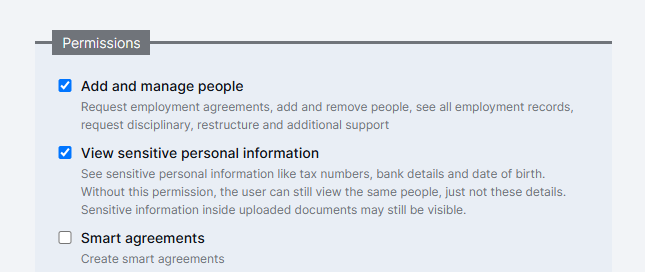
When Smart Agreements is turned on for your account, every manager with the "Add and manage people" permission can now use it too. New managers with that permission get access by default.
What you need to do
No action needed. If you'd rather a manager didn't have access, untick the Smart Agreements permission on their profile.
🛡️ Trial period guardrails (NZ)
To help you avoid issues, MyHR now limits trial period options in a couple of situations:
- Trial periods are no longer an option for employees on an Accredited Employer Work Visa (AEWV), in line with Immigration NZ requirements.
- New casual employees can have a probation period or no initial period, but not a trial period.
We've also made it possible to issue new terms to fixed-term employees when their current trial or probation length isn't clear.
What you need to do
No action needed. If you're unsure what initial period suits someone, talk to our HR team.
🔧 Fixes and improvements
- iPayroll: KiwiSaver status no longer switches to "Not eligible" for people outside the age threshold.
- Xero Payroll NZ: KiwiSaver is only updated if MyHR manages the field
- Payroll summary emails: only list fields that actually changed.
- Managers can now pick folders they've created when adding documents to onboarding tasks.
- New people added without an agreement can now have an update agreement requested.
- Search on the integrations page, and in tables across the app, works properly again.
- Document previews are sharp on high-resolution screens.
- Performance review ratings that should be hidden now stay hidden.
- Behind-the-scenes security improvements to keep your data safe.