
Contents
Overview
All MyHR users, owners, managers, and employees, log in the same way:
- Go to the MyHR login page, enter your email address and password, then select Log in.
What you see after logging in depends on your role:
- Employees land on their own account (self-service access only), where they can view salary details, employment agreements, leave balances, custom reminders, documents, and performance reviews. Exactly what's available depends on which features your organisation has enabled.
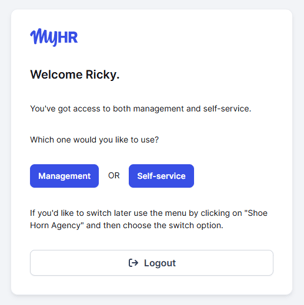
- Managers and owners land on a multi-account screen, with management access to other employees' details as well as self-service access to their own account.
Interactive demo
See MyHR from an employee's perspective with our interactive demo. It covers:
- Set up process
- Completing documents in MyHR
- An overview of the MyHR homepage
- Editing personal details and login email address
- Finding the custom Reminders feature.
- Finding Documents
- The Performance Reviews feature (customised by your organisation).
- How to request leave (only available for organisations using the MyHR leave feature).