
👀 Hide individual onboarding tasks from new hires
You could previously only hide whole sections of an onboarding plan. Now you can hide individual tasks, so internal steps (like ordering a laptop) stay out of your new hire's view while everything else stays visible.
What this means for you
- Keep internal admin and employee tasks in one plan
- New hires only see what's relevant to them
What you need to do
Tasks are visible by default. Use the "Visible to new hire" switch on any task to hide it. Tasks with a document attached are always visible to the employee.
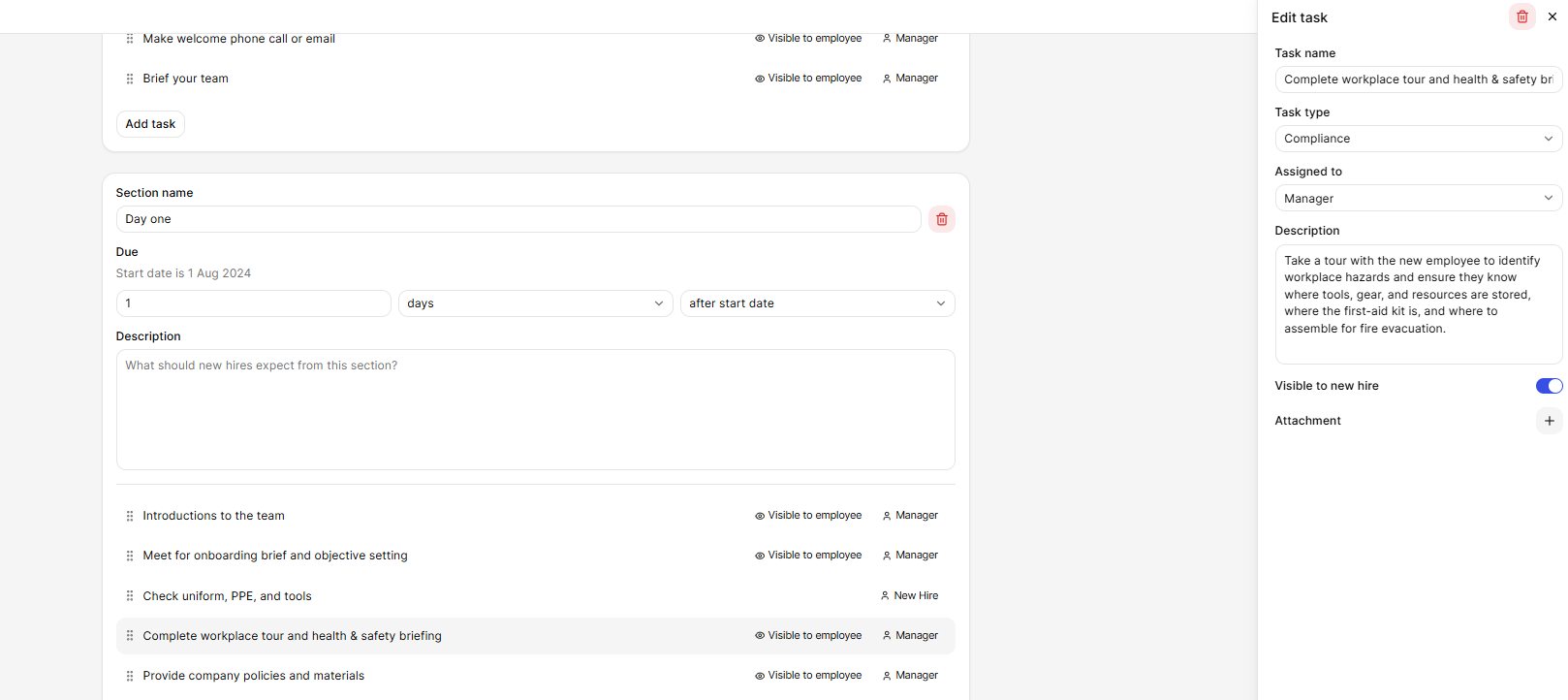
See below for more information
- All about onboarding employees in MyHR
- Creating onboarding templates
🔒 New permission: view sensitive personal information
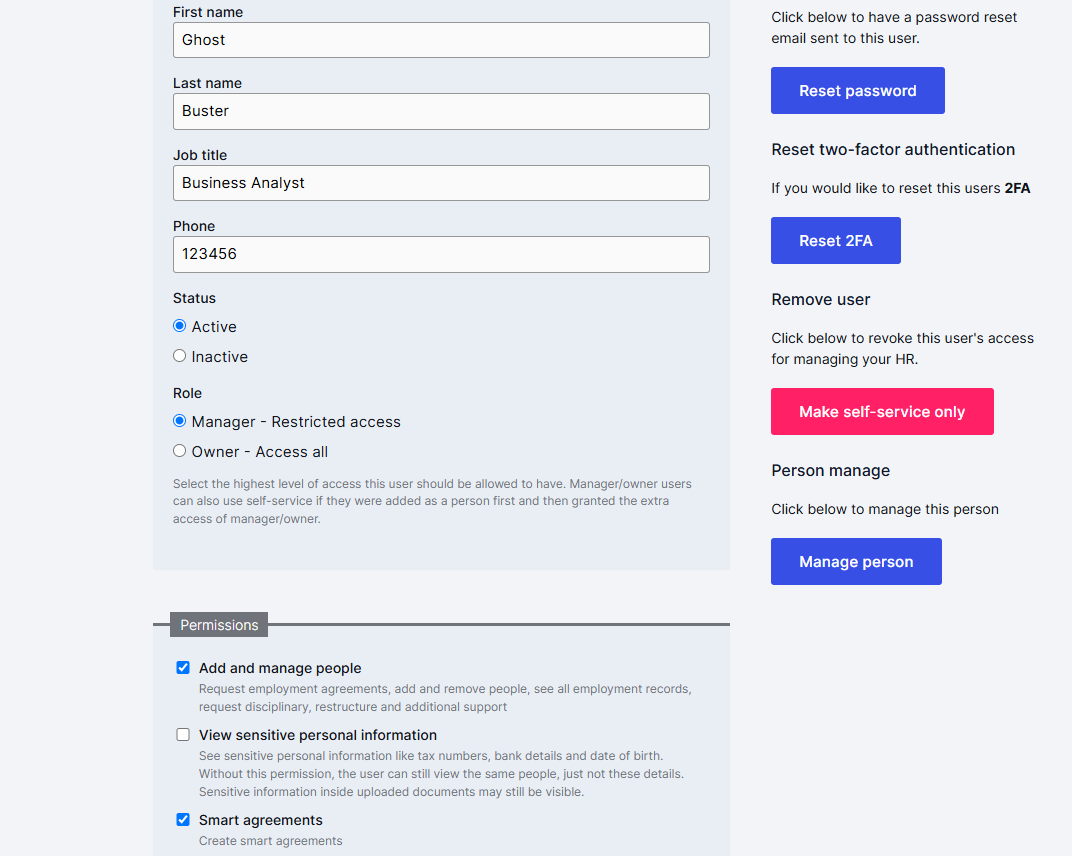
You can now choose which managers see sensitive employee details: bank account, tax number (IRD, TFN or SIN) and date of birth. The new "View sensitive personal information" permission sits alongside "Add & manage people".
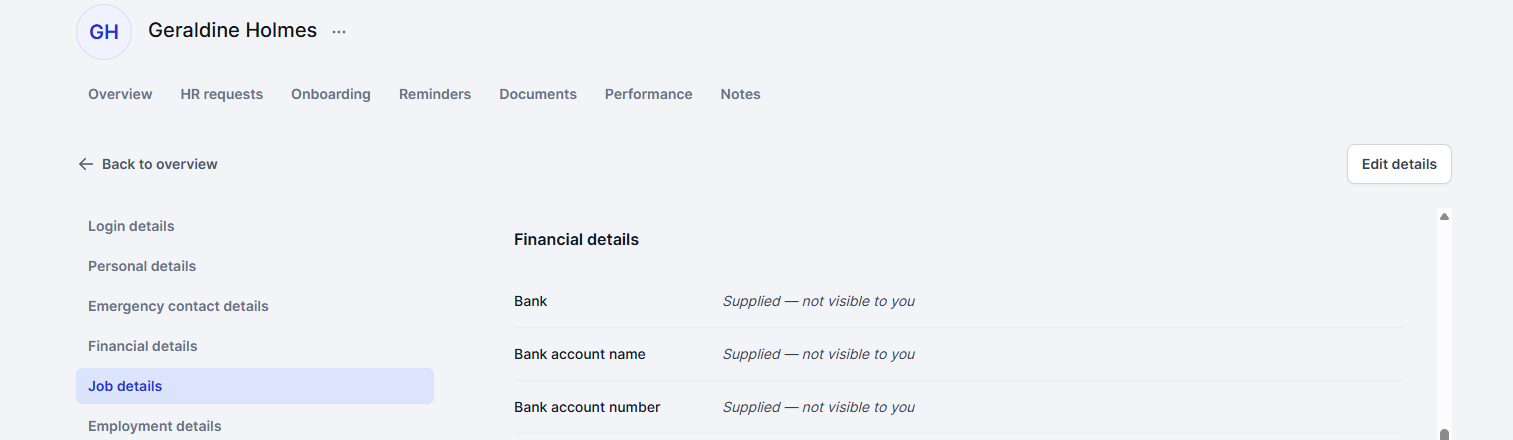
Managers with the permission see these fields behind a Show/Hide button. Managers without it see "Supplied, not visible to you" and can't edit them. Employees also see a short privacy notice when they update their details in self-service.
What this means for you
- Sensitive details only seen by the people who need them
- Helps keep personal information private
What you need to do
Review your managers' permissions under each manager's profile and tick or untick the new permission as needed.
💸 Save and resume pay increase letters
Started a pay increase letter but got pulled away? It now saves automatically as a draft every time you change something. Find your drafts in HR requests, for your whole business or on the person's profile, and carry on where you left off.
What you need to do
Drafts save as you go.
🗓️ Easier onboarding plan editing
- Change an onboarding plan's start date after it's been created.
- Plan and template sections are now sorted by due date.
- Owners can now see all draft people in the account, not just the ones they created.
🔧 Fixes and improvements
- 2027 public holidays added for Australia and Canada.
- Password-protected PDFs stay viewable, and PDF errors are reported properly.
- Employees can view older documents attached to their onboarding tasks.
- Document acceptance reminders now restart when a new person is added.
- Profile pictures uploaded in self-service now show straight away.
- More behind-the-scenes security improvements.