
🚀 A whole new onboarding experience
Onboarding used to mean building a plan from scratch and chasing tax forms. Not anymore. When you add a new employee, MyHR now creates an onboarding plan automatically, with tax and KiwiSaver (or superannuation) tasks already loaded.
You can then finalise everything in one place. Preview the agreement, choose to sign digitally or print and sign, see who needs to sign or be notified, and send the invite to your new hire. Same screen, no extra steps.
Want to tweak the plan? Add your own task descriptions, attach documents, drag sections around, swap templates, or save your setup as a template for next time.
What this means for you
- No more building onboarding plans from scratch
- Agreement, signing and invite sorted in one go
- Tax and KiwiSaver forms (NZ), superannuation and TFN declaration (AU) collected up front, so less chasing
- You and your employees can now fill in PDFs in-app, making to keep track on an onboarding tasks and new documents are saved in a folder called 'supporting documents
- Now that we kick-start your employees onboarding experience, you can now customise the published plan and add in those important documents to your templates so the employee has them as soon as they login and sign their agreement.
- You can customise visibility on tasks with a simple toggle, making it easy to keep the employees plan clean and keep the important tasks visible to the right person
- Attaching multiple documents in one go, makes it easier and faster for you and the employee to collaborate and get the right documents signed, viewed and actioned as soon as possible.
What you need to do
Nothing. You'll see the new experience next time you add an employee. Onboarding plans already in progress won't change. If you've turned onboarding off for your account, your settings stay as they are.
See below for more information
- All about onboarding employees in MyHR
- Creating onboarding templates
👋 A guided first day for new hires
New employees now get a step-by-step setup: create a password, set up two-factor authentication, sign their agreement, add emergency contacts and bank details, and complete their tax and KiwiSaver forms. It's one guided flow instead of tasks scattered through a plan.
Once they're in, their new self-service home page shows their onboarding progress, reminders, and personal details at a glance. The onboarding panel tidies itself away once everything's done.
What this means for you
- New hires arrive with their paperwork done
- Less admin left dangling after day one
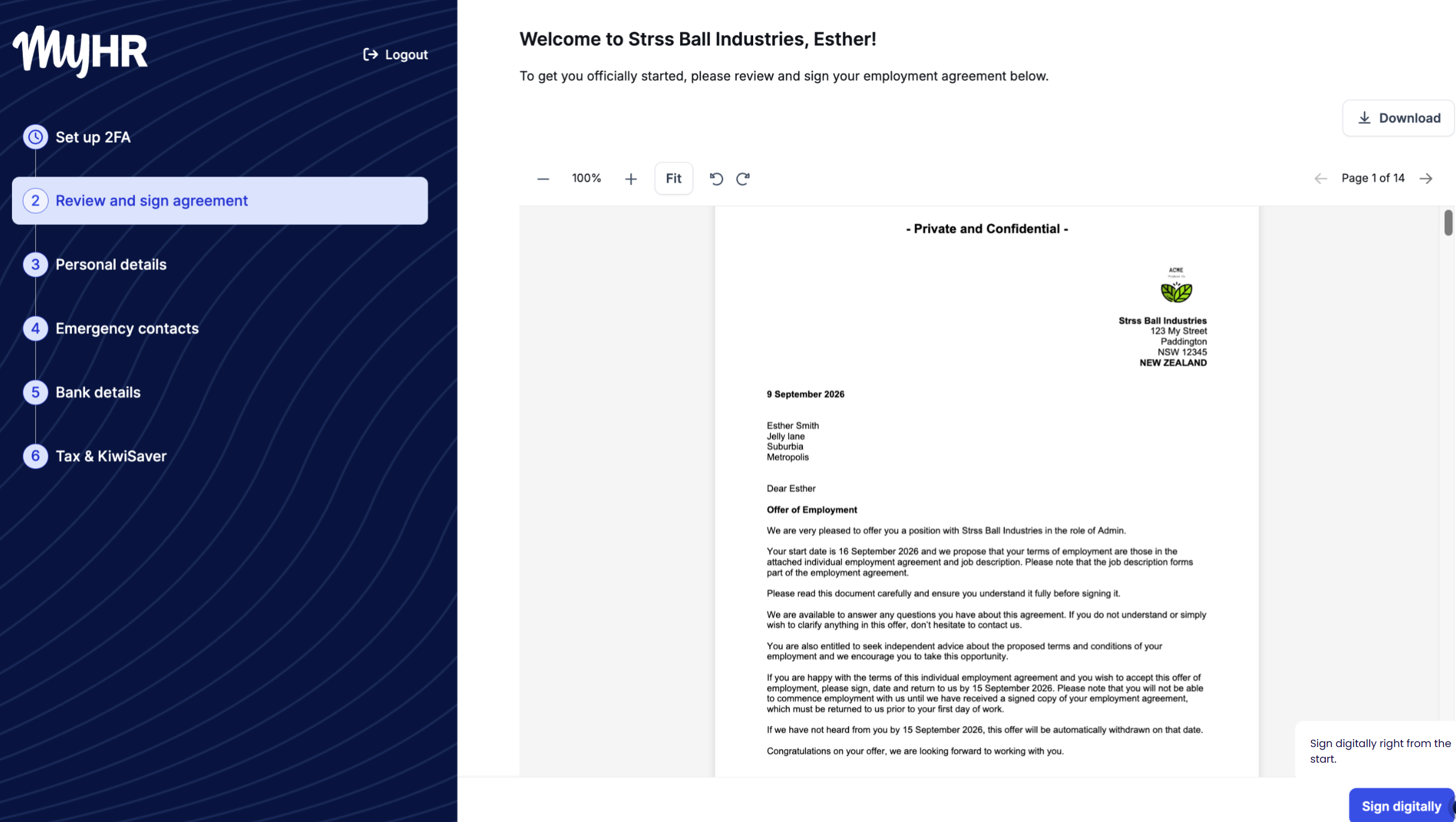
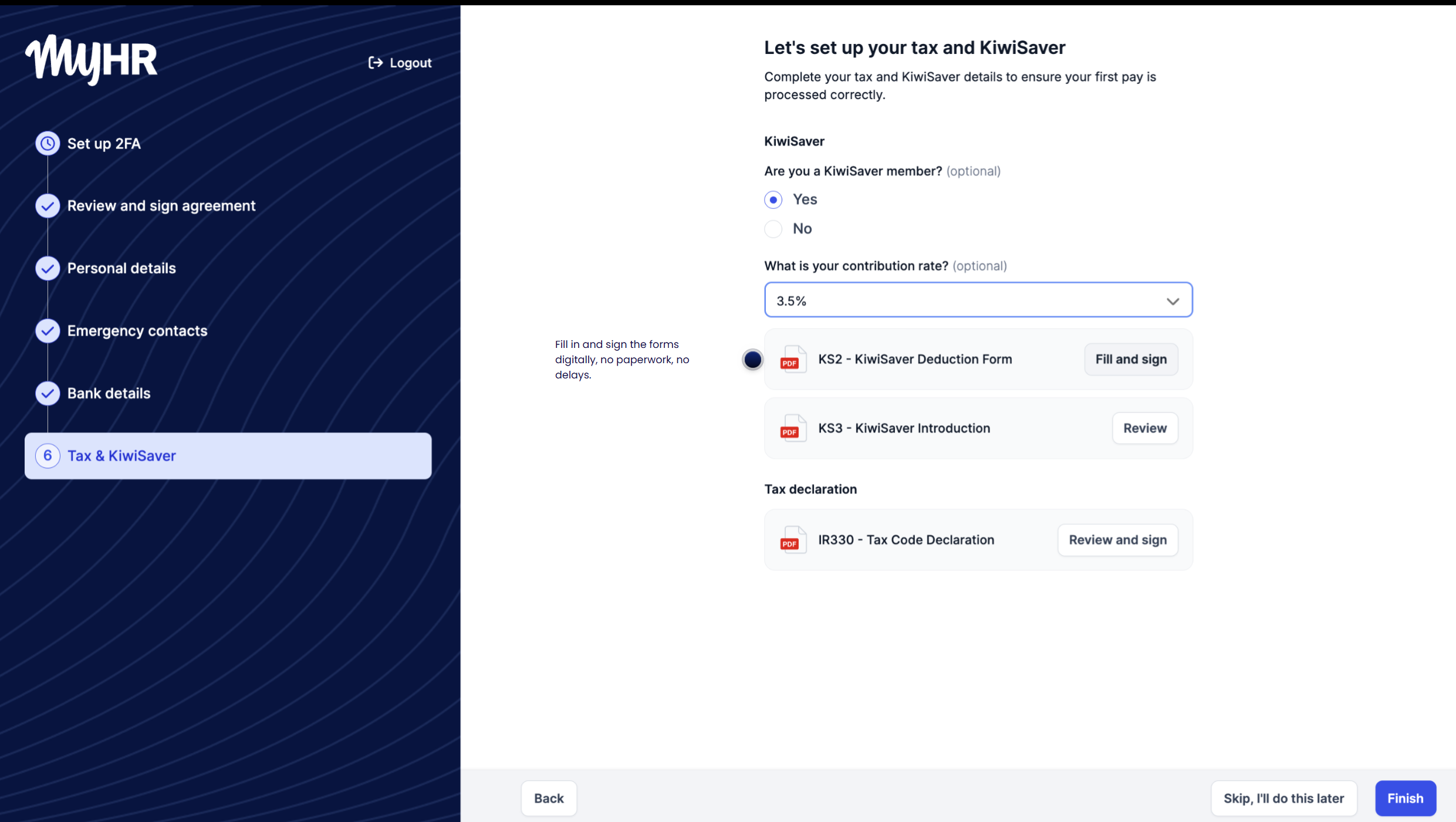
What you need to do
Your new hires will see it when they accept their invite.
See below for more information:
💼 Job details: templates and your job library
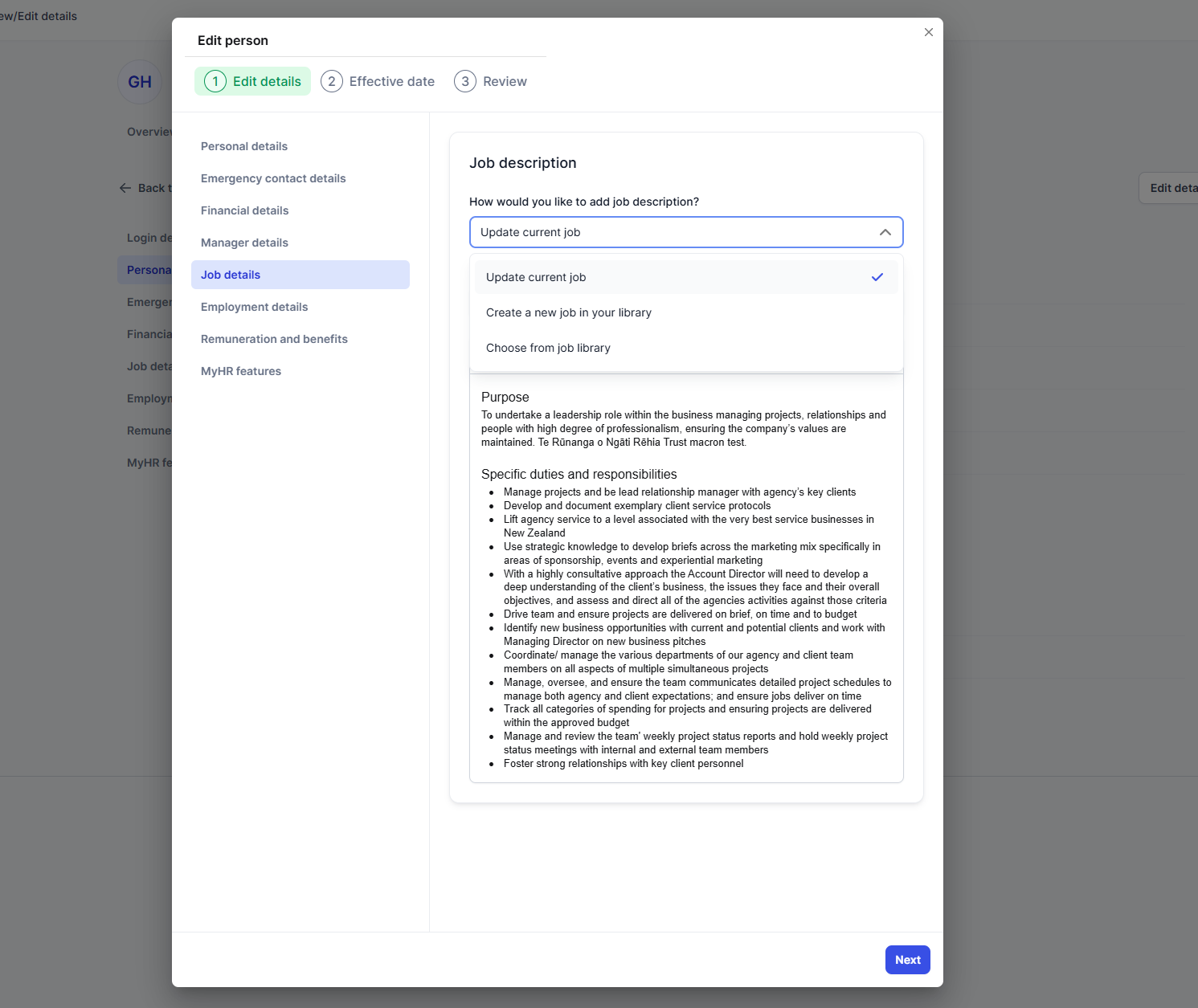
When you edit someone's job details, you can now update their current job description, create a new one that's saved to your job library, or pick one from the library.
What you need to do
Go to a person, edit their details, and open Job details and choose from the options.
Payworks now syncs bank details (Canada)
Bank account updates now sync from MyHR to Payworks, and any sync errors are clearer, so you know exactly what to fix.
🔧 Fixes and improvements
- People search now shows your most recent people first.
- You can now add an email address for emergency contacts.
- The NZ work visa list has been tidied up so it's easier to pick the right option.
- Independent contractors no longer appear when requesting pay increase letters.
- Onboarding plans now create properly when the manager has no department set.
- Viewing an inactive person's documents no longer crashes for managers.
- Pages now display properly on older versions of Safari.
- More behind-the-scenes security improvements.